


Pango Factory: Coding Game
3.16.00 Reviews
App Specs
- Version
- 1.5.0
- Updated On
- License
- $5.99
- Downloads
- 10,000+
- Developer
- Studio Pango - Kids Fun preschool learning games
- Categories
- Educational
- Platform
- Android
Screenshots
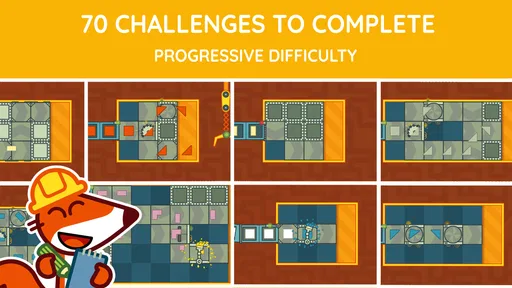
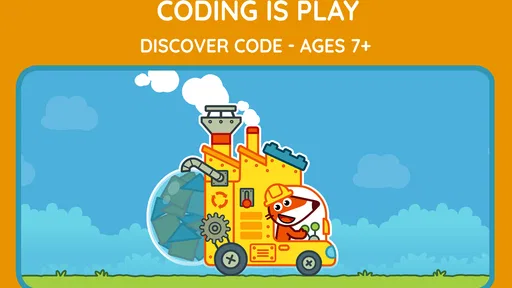
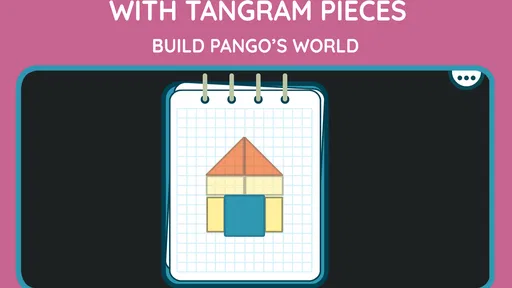
 Analysis by AppCompare
I spent time with Pango Factory: Coding Game as an educational game for young children, and my overall impression is that it works best as a gentle introduction to structured thinking rather than as a full coding course. Its activities are built around playful challenges that ask children to notice order, make choices, and work toward a result. That makes it a useful option for a parent who wants something more purposeful than a general puzzle game, especially when the child is not ready for text-based programming.
The important decision is not whether the game contains advanced coding lessons—it does not need to—but whether its simple approach matches the child using it. I would consider it for preschool-age learners who enjoy visual tasks and can follow a short sequence of instructions. I would be more cautious for children who already want complex construction, open-ended creation, or a visible progression into real programming. The game’s value comes from its focused simplicity, and that same simplicity is also its main limitation.
What I looked for when deciding whether it is worth using
When I review an educational game like this, I look beyond the word “learning.” I want to know what the child actually has to do, whether the activity encourages independent thinking, and whether an adult can understand the lesson without constantly taking over. In this case, the central appeal is the way the game turns logic, sequencing, and problem solving into approachable challenges. The child is not being asked to read code or memorize technical terms; the learning is presented through actions and visual reasoning.
That distinction matters for families choosing between a coding-themed game and a conventional puzzle app. A standard puzzle may improve matching, memory, or spatial awareness, while this game places more emphasis on arranging steps in a sensible order. It is therefore a better fit when the goal is to help a child think about what must happen first, what follows next, and how a mistake affects the final result.
I also paid attention to the age positioning. The content rating is Everyone, and the game is aimed at children who are still developing basic reasoning habits. That does not mean every child will find it equally easy. A child who is comfortable with visual instructions may begin exploring quickly, while another may need an adult to explain that the task is not about tapping randomly but about planning before acting.
The game is published by Studio Pango - Kids Fun preschool learning games, a developer focused on playful learning experiences for younger users. That background helps explain the friendly, accessible direction here. I would not approach it expecting the depth of a programming platform for older children. I would approach it as a guided first step toward computational thinking, using a game format that feels less intimidating than a lesson.
The learning value is in the pause before the action
The most useful habit this type of game can encourage is stopping to plan. Young children often try the first visible option immediately, then adjust after something goes wrong. A sequencing challenge gives a parent a natural opportunity to ask, “What should happen first?” before the child starts tapping. That small pause is more valuable than simply completing a level quickly because it turns the activity into a reasoning exercise.
Worth Reading Before You Choose

Flipboard Shows What News Apps Must Do Beyond the Feed

Switching to Android Auto Means Rethinking Your Driving Routine

Google Calendar Makes a Crowded Week Easier to Manage

Ludo King Makes the Most of the Minutes Between Plans

Baby Panda World Brings Quick Play to Modern Phones, but Its Game Library Feels Busy

ESPN’s Live Game View Makes Following Close Games Easier
I found that the best way to use the game is not to solve every challenge for the child when they hesitate. Instead, I would ask the child to describe the intended order aloud, even if the explanation is incomplete. This makes the game useful away from the screen as well: getting dressed, preparing a snack, or putting toys away can all become examples of steps that need to happen in a sensible sequence.
Another practical insight is that mistakes can be treated as part of the lesson rather than as failure. If a child chooses an incorrect order, I would avoid immediately correcting it. Asking which step caused the problem encourages the child to inspect the sequence and revise it. That is a more meaningful use of the game than rushing through challenges simply to reach the end.
Why the visual approach suits early learners
For a child who cannot yet read comfortably, a visual coding game has a clear advantage over apps that depend on written instructions. The child can focus on relationships between actions instead of decoding a paragraph. This lowers the language barrier and makes the activity easier to share with a younger sibling or a child who is still building vocabulary.
There is also less pressure than in a traditional educational worksheet. A worksheet can make a sequencing exercise feel like a test, while a game gives the child room to experiment. That difference may be especially helpful after preschool or during a quiet period at home when the child has enough energy to think but not enough patience for formal practice.
Still, visual simplicity should not be confused with unlimited accessibility. Some children need an adult to translate what the pictures mean or to connect a game action with a real-world idea. I would sit with the child during the first few sessions, not to control the device, but to observe whether the instructions are clear enough for independent play.
Where Pango Factory makes the strongest case
Pango Factory: Coding Game wins when a family wants an introductory activity that sits between a puzzle game and a first coding lesson. It gives the child a reason to think in sequences without requiring a keyboard, programming syntax, or prior knowledge. That narrow focus is a strength because it keeps the learning goal understandable.
Its strongest use case is a short, supervised session with a preschool child who enjoys solving visual problems. I can imagine using it while preparing dinner: the child plays nearby, and I check in between tasks to ask what they are trying to make happen. The game can occupy the child with something more thoughtful than passive video, while the occasional conversation helps connect the on-screen sequence to everyday planning.
It also works well as a conversation starter between an adult and a child. Rather than treating screen time as completely separate from learning, a parent can ask the child to predict the outcome, explain a choice, or suggest a different order. Those questions add depth without turning the session into a formal class.
A less obvious advantage is that the game can reveal how a child approaches problems. Does the child plan first, test quickly, or become frustrated after one wrong attempt? That observation can help an adult adjust support. A child who rushes may benefit from being asked to point out the full sequence before beginning. A child who freezes may need permission to try one option and learn from the result.
The game’s educational category is appropriate, but I would describe its learning as foundational rather than comprehensive. It can introduce the logic behind instructions, yet it should not be mistaken for a complete curriculum. If your goal is to develop comfort with ordering actions, it has a clear purpose. If your goal is to teach variables, text commands, or open-ended programming, you will eventually need another kind of tool.
What the current version means for a family
The current version is 1.5.0, and the game runs on devices using Android 6.0 or later. That makes checking the child’s device worthwhile before purchase, particularly if the game is intended for an older tablet kept for children. Compatibility is a practical part of the decision: a well-designed activity is not useful if the device cannot install or run it comfortably.
The game has passed the ten-thousand-install mark, with an average rating of 3.1 from around eighty ratings and six written reviews. I would read that response as a reason to set expectations carefully rather than as a final verdict. The audience for a preschool learning game is quite specific, and ratings can reflect differences in a child’s age, a parent’s expectations, or the device experience as much as the educational idea itself.
It is available for $5.99. That price makes the decision more deliberate than downloading a free distraction, but it can still be reasonable if you want a focused activity and expect to use it repeatedly. I would not buy it solely because it contains the word “coding.” I would buy it when the child’s immediate need is practice with order, logic, and simple problem solving.
Where another category may fit better
The usual alternatives fall into several groups, and each serves a different purpose. A broad preschool learning suite may be better for a child who wants variety across letters, numbers, drawing, memory, and puzzles. A construction-oriented coding game may be better for an older child who wants to create freely and see a project grow over time. A physical board game may be better for a family that wants shared, screen-free problem solving.
Compared with a general puzzle app, this game has a more specific mental target. That is useful if sequencing is the skill you want to emphasize, but it can feel narrow if the child expects constant changes of activity. Compared with an open-ended coding environment, it is easier to begin but offers less room for personal expression. Compared with a teacher-led lesson, it is more relaxed but provides less individualized explanation when a child gets stuck.
I would skip it for a child who becomes bored by guided challenges and wants to build their own levels, stories, or machines. I would also look elsewhere if an adult needs detailed progress tracking or a structured teaching path. Nothing about the experience makes it a replacement for a classroom, a tutor, or a more advanced programming platform.
There is a trade-off in choosing a focused game: the child may understand a small idea more clearly, but may not receive enough variety to stay interested for long periods. I would use it in short sessions and rotate it with books, physical activities, and other forms of play. That approach protects the game’s strength instead of asking it to become an entire learning system.
The cost of changing from one option to another
Switching from a conventional puzzle app to this game should be easy if the child already understands touch controls and visual goals. The bigger adjustment is conceptual. The child needs to recognize that success depends on arranging actions, not simply finding a matching shape or tapping the most attractive object. A parent can make that transition smoother by explaining the idea with a familiar routine before opening the game.
Moving in the opposite direction—from this game to a more advanced coding app—may require more preparation. A child who has practiced ordering steps may understand the general idea of instructions, but that does not automatically prepare them for reading commands or managing a larger project. I would treat this game as a foundation and introduce the next tool only when the child is asking for more control, not because the child has completed a certain amount of screen time.
There is also a financial switching cost. At $5.99, this is a paid choice, so I would involve the child in a simple trial plan: play together, observe whether the child returns to the challenges willingly, and decide whether the activity is being used as intended. If the child only taps through without thinking or asks for a completely different type of play, a broader alternative may offer better value for that family.
One useful workflow is to keep a small real-world “sequence talk” routine alongside the game. After a session, ask the child to describe three steps in an everyday task. This helps transfer the idea beyond the screen and lets the adult see whether the game is influencing the child’s reasoning. If the child can complete challenges but cannot explain even a simple order, more conversation and less independent tapping may be needed.
My recommendation for the right household
I recommend Pango Factory for parents and caregivers looking for a first, low-pressure introduction to coding ideas through sequencing and logic. It is especially suitable for a preschool child who likes visual challenges, benefits from gentle guidance, and is ready to think about what happens before and after an action. The Everyone rating supports its broad family positioning, but I would still judge suitability by the child’s patience, language development, and interest in structured tasks.
I would not recommend it as the only educational game on a device, or as a long-term answer for a child who is already seeking advanced programming. Its scope is intentionally limited, and the modest rating suggests that it will not satisfy every family equally. The price is easiest to justify when the game becomes part of a regular routine rather than a one-time novelty.
My best advice is to play the opening sessions together, ask the child to predict the order, and let mistakes remain visible long enough for the child to reason about them. That turns a simple challenge into a richer learning moment. If the child enjoys that process, the game has found its audience. If the child wants open-ended creation or a wider collection of subjects, choose a different category instead.
For me, the final decision is straightforward: this is a worthwhile specialist tool for early sequencing practice, not a complete coding education. I would recommend it to the right young learner with that expectation clearly in mind. Its real strength is making “what comes next?” feel like play.
Pros
- Teaches coding logic through playful
- hands-on challenges.
- Simple controls are suitable for young children and beginners.
- Bright visuals and animations make tasks engaging.
- Progressive puzzles introduce concepts at a comfortable pace.
- Works well as a screen-time activity with educational value.
Cons
- Limited challenge for experienced players or older children.
- Some puzzles may feel repetitive after extended play.
- Requires patience when children learn the logic behind solutions.
- Educational content focuses mainly on introductory coding concepts.
- Parents may need to explain objectives to younger players.
FAQs for Pango Factory: Coding Game
What is Pango Factory: Coding Game?
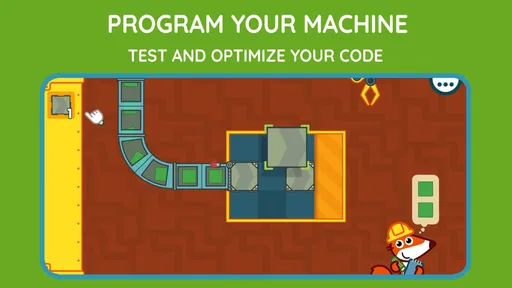
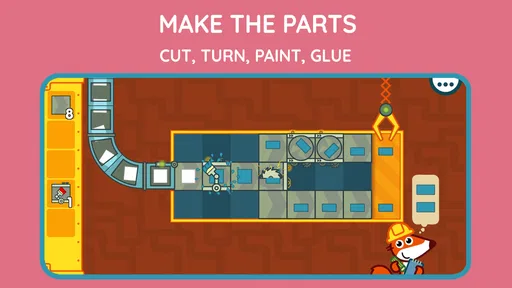
Pango Factory: Coding Game is an educational puzzle game designed to introduce young children to basic programming concepts. Players guide Pango through factory-style challenges by arranging instructions in the correct order. Instead of typing code, children learn through visual commands, experimentation, and problem-solving, making the experience approachable for beginners who may have no previous knowledge of coding.
What age group is Pango Factory: Coding Game suitable for?
The game is mainly aimed at preschool and early elementary-aged children, particularly those who are beginning to develop logical thinking and sequencing skills. Its simple visual controls and playful presentation make it accessible to young players, although the difficulty may vary from child to child. Parents can use it as an introduction to programming ideas rather than as a formal coding course.
Does Pango Factory: Coding Game require an internet connection?
Most of the core gameplay is designed to be enjoyed offline once the application has been installed, which is convenient for travel or situations without reliable Wi-Fi. However, an internet connection may still be required for downloading the game, installing updates, restoring purchases, or accessing certain store-related services. Parents should check the current store listing for the exact offline and online requirements.
Is Pango Factory: Coding Game safe for children?
Pango Factory: Coding Game is built around child-friendly puzzles and does not depend on open social interaction or competitive online features. Even so, parents should review the app’s current privacy information, advertising policy, and in-app purchase settings before allowing independent play. It is also wise to use device-level parental controls, especially if the game is installed on a shared phone or tablet.
Is Pango Factory: Coding Game free to download?
Availability and pricing can differ between Android and iOS, and the game may be offered as a paid download or with additional content handled separately. Before installing, review the official store page to confirm the current price, supported devices, included levels, and whether any optional purchases are available. This is particularly important for families who want a completely purchase-free educational experience.


